Getting Started
WARNING
- These docs are in Beta and updated daily. Please report any issues or inconsistencies you find.
Overview
This guide walks you through creating your account and registering your first subdomain.
- Website:
https://isroot.in/
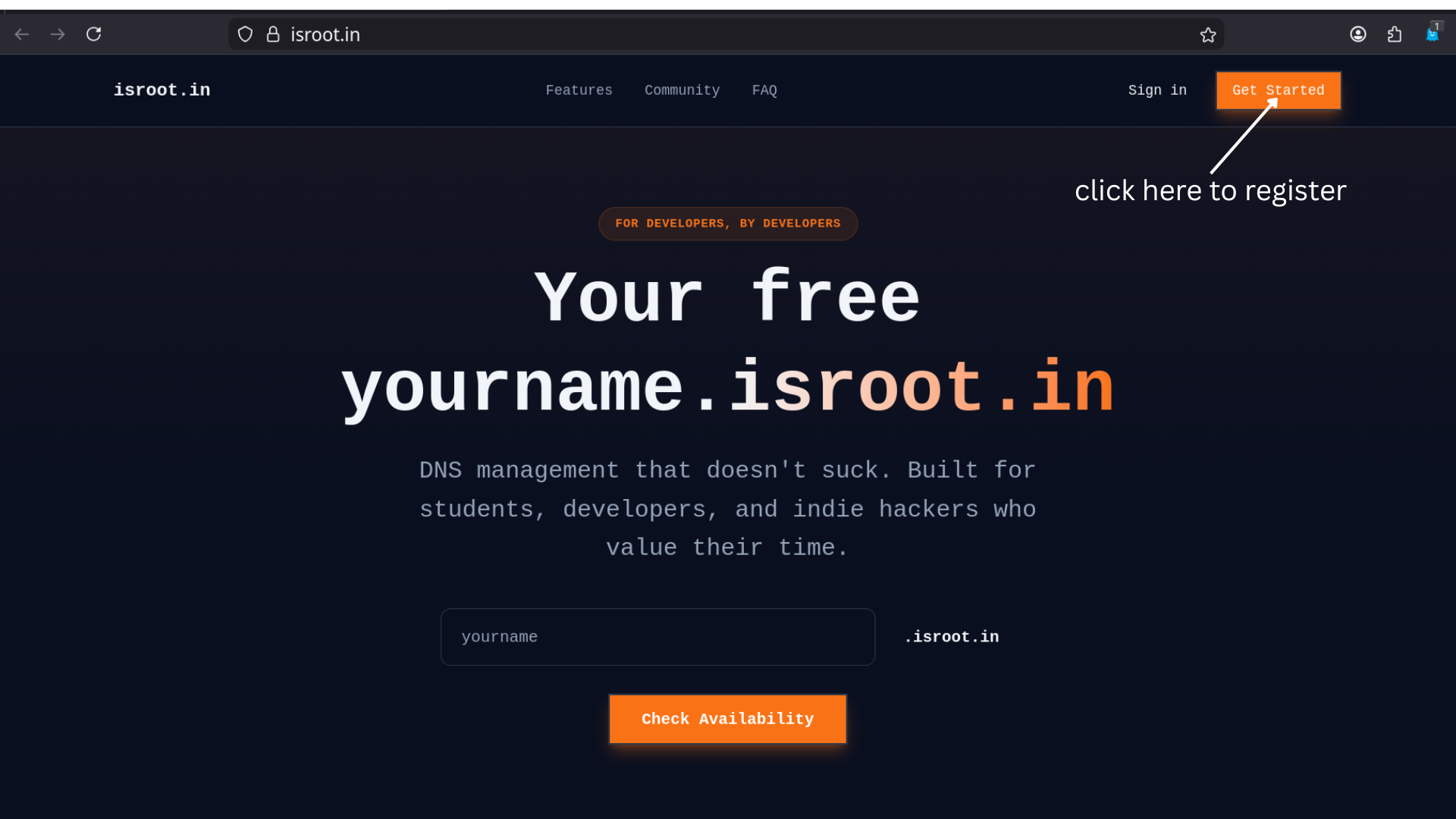
Step 1 — Visit the Registration Site 🌐
- Go to
https://isroot.in/. - Click Get Started on the landing page.
Tip: If the page doesn't load, check your network or try a different browser.
Step 2 — Create an Account 🔒
Currently, the only supported method to create or sign in to an account is GitHub.
Sign in with GitHub (Required)
- Click Login (or Get Started) and choose the GitHub option.
- Authenticate with GitHub.
- If this is your first time signing in, an account will be created automatically using your GitHub email address — make sure your GitHub email is verified.
Note: Email/password sign-up is not available at this time. If you need an alternative sign-up method, contact support.
Step 3 — Navigate to Register Domain ➕
After logging in, click Register Domain from the sidebar menu. 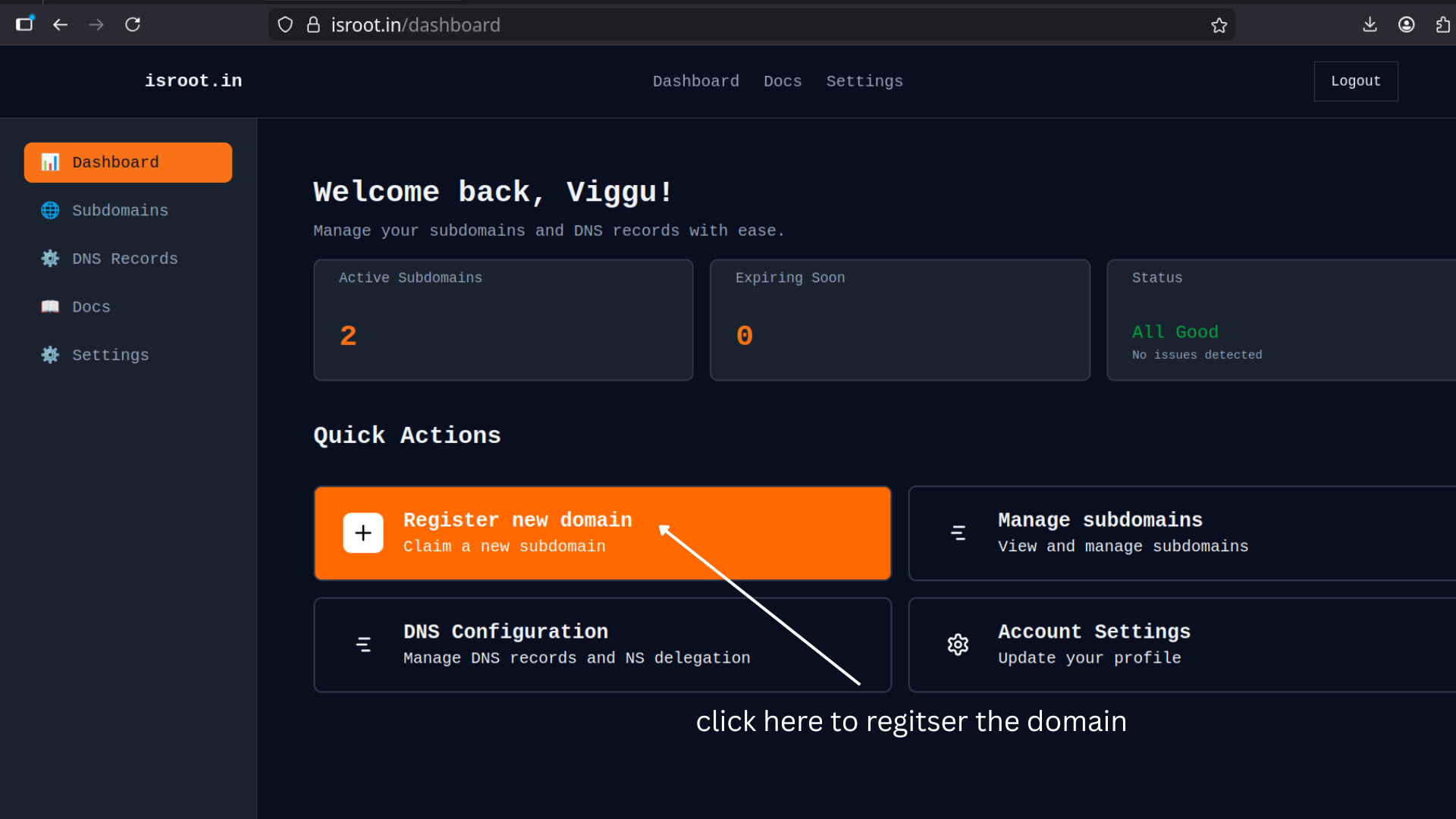
Step 4 — Complete the Registration Form 📝
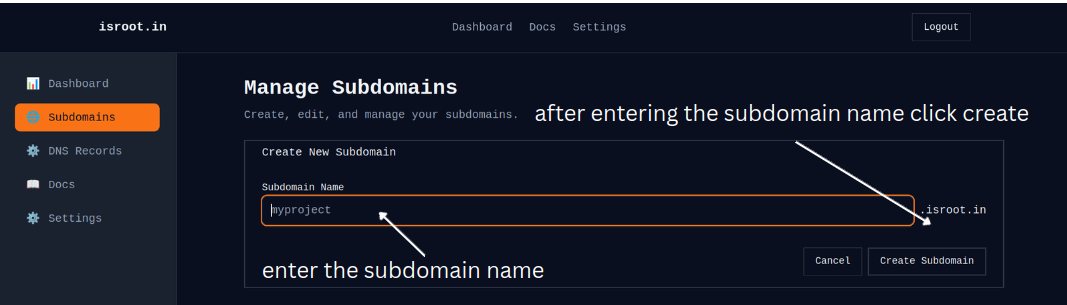
Follow the steps on the registration form.
1) Choose your subdomain name
- Allowed characters: lowercase letters, numbers, hyphens only
- Length: 3–63 characters
- Cannot start or end with a hyphen
Examples:
- ✅
project→project.isroot.in - ❌
ab(too short) - ❌
-myproject(starts with hyphen)
2) Register
Click Register Domain to complete registration.
- if domain already exists get creative and find some new name
What happens next:
- ✅ Domain is registered immediately
- ✅ DNS delegation automatically configured
- ✅ Domain is valid for 1 year
- ✅ Success message shown in the UI
Step 5 — Success
Congratulations — your domain is registered and active!
Next actions:
- View your domain in My Domains.
- Set up DNS records with your DNS provider (Cloudflare recommended).
- Learn to manage your domain: renewals, nameservers, or deletion.
Limits & Quotas
- Default limit: up to 5 domains per account.
- Domain length: 3–63 characters.
Troubleshooting & Support
If you have problems during registration:
- 💬 Join our Discord Community for faster help
- 📧 Email Support for official assistance
- 🐞 Report a Bug for technical issues
For detailed instructions, see the DNS Management guide: Dns Management